Adding depth to typography doesn't mean you have to rely on heavy, outdated 3D effects. Modern shadow font styles blend clean lines with subtle shading to make text pop off the screen without looking cluttered. Designers use these typefaces to create visual hierarchy and draw the eye to headlines, logos, or call-to-action buttons while keeping the overall layout crisp and professional.
What makes a shadow font look modern?
Contemporary shaded typefaces rely on precision and minimalism. Instead of chunky, multi-layered extrusions, they use soft drop shadows, crisp long shadows, or subtle inner shading. The base letterforms are usually geometric sans-serifs or clean serifs. When you look at the differences between modern shadow styles and retro pixel fonts, the modern versions prioritize readability and negative space over heavy nostalgia.
When should you use shaded typography in your designs?
Shaded fonts work best when you need to highlight a specific element without adding extra graphics. They are ideal for hero section headlines, podcast cover art, and bold branding materials. For example, using a clean geometric typeface like Shadow Drive gives a landing page immediate visual weight. You want to use these fonts when the background is relatively simple, allowing the shaded letters to stand out clearly.
How do you avoid common mistakes with drop shadows and 3D text?
The biggest mistake designers make is applying shadows to small body text. Shading reduces legibility at small sizes, making paragraphs difficult to read. Another frequent error is using conflicting light sources. If your website's overall lighting implies the sun is in the top left, your text shadow should fall to the bottom right. Mixing light directions makes the layout feel disjointed. Finally, avoid using high-contrast, hard-edged shadows on light backgrounds, as they can look harsh and unrefined.
What are the best ways to pair shaded fonts with other typefaces?
Because shaded fonts carry a lot of visual weight, they need to be balanced with quiet, simple typefaces. Pair your shaded headline with a highly legible sans-serif for the body copy. A neutral option like Inter keeps the focus entirely on your main heading. If you are working on more niche projects, like finding the right gaming logo fonts, you might pair a heavy shaded display font with a clean monospaced typeface for the subtext. This same balancing rule applies when styling retro page headers, ensuring the shaded text remains the clear focal point without overwhelming the rest of the layout.
How can you customize shadow fonts in design software?
Most pre-made shaded fonts come with built-in effects, but you can tweak them in tools like Illustrator or Figma to better fit your brand. Convert the text to outlines before making structural changes. Once outlined, you can adjust the offset distance of the shadow or change its angle. You can also separate the shadow layer from the main text layer to apply different colors. For instance, pairing a dark navy base text with a bright coral shadow creates a striking duotone effect. If you want to test this technique, try experimenting with a versatile typeface like Lemonade Shadow and adjust the drop shadow opacity to see how it changes the overall mood.
Your typography checklist before publishing
- Check legibility at mobile sizes to ensure the shadow doesn't blur the letterforms.
- Verify that the shadow direction matches the lighting of other visual elements on the page.
- Ensure there is enough contrast between the shadow color and the background.
- Confirm that your body text uses a simple, unshaded font to maintain readability.
- Test the design in both light and dark mode if your website supports it.
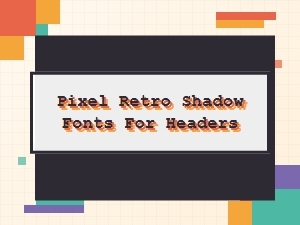 Pixel Retro Shadow Fonts for Your Headers
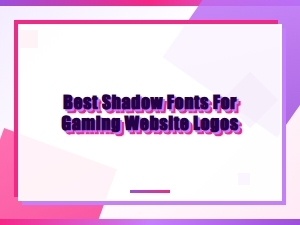 Unleash Pixel Power with Retro Shadow Fonts
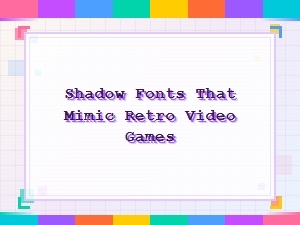 Retro Video Game Shadow Font Design
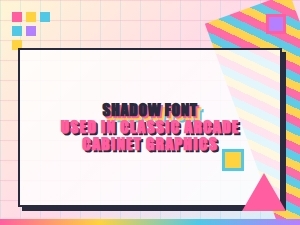 Elegant Arcade Shadows in Classic Pixel Fonts
 Serene Scripts for Elegant Logo Watermarks
 The Subtle Art of Luxury Packaging Fonts