When you look at a classic arcade cabinet, the first thing that catches your eye is usually the illuminated marquee. The typography on these machines relied heavily on heavy drop shadows and 3D extrusions to stand out in a dark, neon-lit room. Using the right shadow font for classic arcade cabinet graphics is not just about nostalgia. It is about recreating the exact visual hierarchy that made those game titles readable from across a noisy arcade floor.
What makes arcade cabinet shadow fonts different from regular text?
Standard drop shadows in modern web design are often soft and subtle. Classic arcade graphics required the exact opposite. Because marquees were backlit and side art was viewed from harsh angles, designers used thick, solid block shadows or long, hard-edged drop shadows. This created a stark contrast between the brightly colored face of the letter and the dark shadow behind it. If you are trying to replicate this specific aesthetic, looking at typefaces that mimic retro video games will show you how aggressive these shadow angles actually were.
The physical production method also dictated the font style. Early cabinets used hand-painted lettering or physical plastic cutouts, which meant shadows had to be thick enough to cast a real physical drop shadow or be painted with a steady brush. Later cabinets moved to screen printing and vinyl decals, allowing for tighter, more complex extruded shadows like the ones seen on fighting game marquees.
Which shadow styles work best for marquees and side art?
Different eras and genres of arcade games used distinct shadow treatments. Here is a breakdown of the most common styles you will encounter:
- Extruded Block Shadows: This is the most iconic 80s style. The shadow extends down and to the right at a 45-degree angle, creating a solid 3D block effect. It works perfectly for racing and sports games.
- Long Speed Shadows: The shadow stretches far behind the text, often tapering off or fading. This was heavily used in side art for scrolling beat-em-ups and racing games to imply motion.
- Neon Glow Shadows: Instead of a solid black block, the shadow is a blurred, brightly colored halo. This mimics actual neon tubing and is ideal for puzzle games or synthwave-themed custom builds.
- Hard Drop Shadows: A simple, unblurred shadow offset by just a few pixels. This is common in pixel-art style cabinets and matches the in-game UI of early 8-bit titles.
When picking a typeface for your project, fonts like Arcade give you that authentic, chunky pixel look with built-in block shadows. For a more fluid, hand-drawn 90s fighting game vibe, a font like Joystick offers the aggressive, slanted letterforms needed for action titles. You can also study specific historical examples, such as the original PacFont, to see how early designers balanced readability with heavy shadowing.
How do you apply shadow fonts to custom cabinet builds?
Applying these fonts to physical or digital cabinet art requires careful layer management. If you are printing side art or a marquee, you must separate the face color, the outline, and the shadow into distinct layers. This ensures the printer lays down the ink correctly and prevents the dark shadow from muddying the bright primary colors of the text.
For digital displays or LCD marquees, you have more flexibility. Sometimes you want a cleaner look for smaller screens, which is why blending in modern shadow styles can help maintain legibility on high-resolution digital displays without losing the retro feel. Keep the shadow opacity high and avoid soft blurs if you want to maintain that crisp, printed vinyl aesthetic.
What are the most common mistakes when designing arcade graphics?
Designing for a physical wooden box is very different from designing for a flat screen. Here are the most frequent errors people make when working with shadow fonts for arcade cabinets:
- Shadows that are too thin: If you are using a CNC router to cut out physical letters for a marquee, a shadow thinner than 1/8 inch will snap off. Always thicken the shadow path before sending it to the machine.
- Inconsistent shadow angles: Every letter on the marquee must have the exact same shadow angle and depth. If the 'A' has a 45-degree shadow and the 'R' has a 30-degree shadow, the entire title will look crooked.
- Ignoring the monitor bezel: The shadow on your control panel graphics should ideally match the lighting direction of the marquee above it. If the marquee shadow falls to the right, the control panel shadow should not fall to the left.
- Using soft drop shadows on side art: Soft, feathered shadows look like digital effects. Classic side art used hard, painted shadows. Keep the edges sharp.
This same attention to physical constraints and visual consistency applies if you are building a digital presence and need the best shadow typefaces for gaming website logos. The rules of contrast and readability remain exactly the same, even if the medium changes from wood and vinyl to pixels on a screen.
Final checklist before printing your cabinet art
Before you send your marquee or side art files to the printer, run through this quick verification list to ensure your shadow fonts render perfectly:
- Convert all text to outlines or paths so the printer does not need to install your specific shadow fonts.
- Check the shadow thickness to ensure it meets the minimum cut or print requirements of your production method.
- Verify that the shadow color is a rich, dark tone (like deep navy or dark purple) rather than pure black, which can look flat when backlit.
- Print a small test swatch on the actual vinyl or translucent material to see how the shadow looks when light passes through or reflects off it.
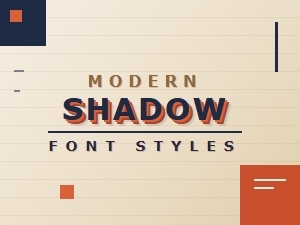 Retro Shadows Meet Modern Font Styles
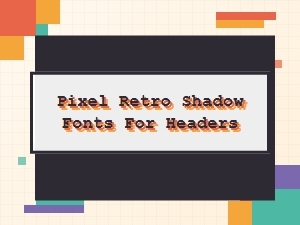 Pixel Retro Shadow Fonts for Your Headers
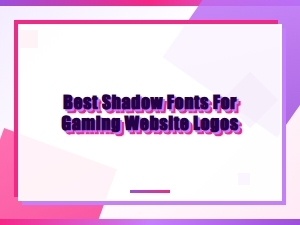 Unleash Pixel Power with Retro Shadow Fonts
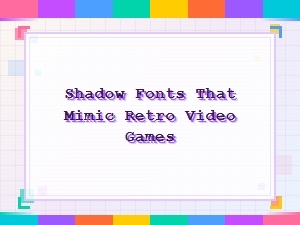 Retro Video Game Shadow Font Design
 Serene Scripts for Elegant Logo Watermarks
 The Subtle Art of Luxury Packaging Fonts