A gaming website logo needs to grab attention instantly. Flat text often gets lost against busy backgrounds or the dark themes common in esports and streaming sites. Adding depth through typography gives your brand a heavy, aggressive, or nostalgic feel that standard letters simply cannot match. Finding the best shadow fonts for gaming website logos helps your brand stand out on Twitch overlays, clan pages, and merchandise without needing complex graphic design software to fake a 3D effect.
What makes a shadow font work for gaming brands?
Shadow fonts add physical weight to your lettering. In gaming branding, you usually want letters that look like they can take a hit. Heavy block letters with deep drop shadows create a 3D extrusion effect, making the text pop off the screen. This style works exceptionally well for first-person shooters, fighting games, and sports simulations. On the other hand, softer, blurred shadows or neon glows fit better for sci-fi, RPG, or cozy gaming communities. The right choice depends entirely on the genre your website covers and the mood you want to set for your visitors.
Which specific typefaces should you consider?
Let us look at a few typefaces that actually deliver good results for esports and clan sites without requiring hours of manual editing.
If you want a layered, multi-dimensional look, Bungee Shade gives you thick, urban-style lettering with built-in depth. It reads well even at smaller sizes on mobile screens, which is rare for heavily stylized display fonts.
For a more aggressive, esports-ready vibe, Gameria offers sharp angles and heavy strokes. It looks incredibly sharp when paired with a solid black drop shadow and a bright, high-contrast fill color.
If your site focuses on indie or retro games, Press Start 2P provides that classic 8-bit aesthetic. You will need to manually add a pixelated drop shadow in your design tool to make it stand out, but the result is highly authentic to the retro gaming scene.
How do you apply retro and arcade styles?
Nostalgia is a massive draw for many gaming communities. If your website reviews classic consoles or hosts retro tournaments, you need typography that matches that era. Looking at modern shadow font styles that incorporate pixel art can give your logo a fresh but nostalgic twist. You can also see how other designers use pixelated retro fonts for website headers to maintain readability while keeping the 8-bit theme intact across the whole page. For authentic inspiration, studying the specific shadow font used in classic arcade cabinet graphics shows exactly how thick outlines and hard shadows kept text readable on glowing CRT monitors in dimly lit rooms.
What are the most common mistakes to avoid?
Even a great typeface can ruin your branding if applied poorly. Watch out for these frequent design errors:
- Over-blurring the shadow: A soft, highly blurred drop shadow looks muddy on dark backgrounds. Stick to hard, solid shadows for a punchier, cleaner gaming look.
- Poor contrast: If your shadow color is too close to your background color, the 3D effect disappears. Use high-contrast colors, like bright cyan text with a deep navy or black shadow.
- Losing readability: Some 3D fonts have so many layers and extrusions that the actual letters become illegible. Always test your logo at favicon size to ensure people can still read your site name.
- Using shadows on body text: Shadow fonts are for logos and large headers. Applying drop shadows to small paragraph text causes eye strain and makes your site look unprofessional.
How do you pair these fonts with your site design?
Your logo font should not dictate your entire website's typography. Use your heavy shadow font strictly for the logo, main headers, and maybe stream overlays. For body text, menus, and articles, stick to clean, highly legible sans-serif fonts like Inter or Roboto. This contrast ensures your site remains easy to navigate while still showing off your gaming brand identity at the top of the page.
Your logo design checklist
Before you finalize your gaming website logo and upload it to your server, run through these practical steps:
- Choose one primary shadow font for the logo and main site headers.
- Test the logo on both light and dark backgrounds to ensure the shadow holds up.
- Scale the design down to 32x32 pixels to check for basic readability.
- Export the final logo as an SVG or high-resolution PNG with a transparent background.
- Pair the logo with a clean, simple sans-serif font for the rest of your website text.
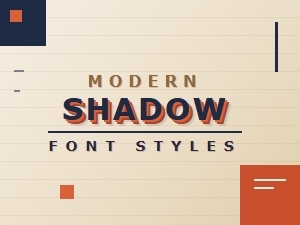 Retro Shadows Meet Modern Font Styles
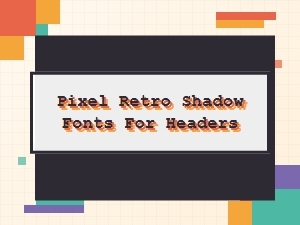 Pixel Retro Shadow Fonts for Your Headers
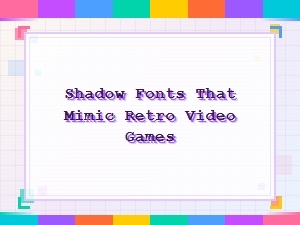 Retro Video Game Shadow Font Design
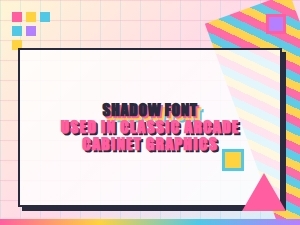 Elegant Arcade Shadows in Classic Pixel Fonts
 Serene Scripts for Elegant Logo Watermarks
 The Subtle Art of Luxury Packaging Fonts