Retro video game typography relies heavily on depth and glow to stand out against dark CRT screens. Shadow fonts that mimic retro video games capture this exact aesthetic by combining blocky, pixelated letterforms with hard drop shadows or neon-style glows. Designers use these typefaces to trigger nostalgia, build indie game interfaces, or brand gaming channels. The right shadow effect turns a flat 8-bit font into something that looks like it belongs on a classic arcade marquee.
What makes a font look like a classic video game?
True retro gaming fonts stick to a strict grid. You will not find smooth curves or anti-aliased edges in authentic pixel typography. The shadow effects are usually sharp, offset by just a few pixels, and use high-contrast colors like bright cyan, magenta, or stark black. This hard-shadow technique mimics the way early sprite-based games rendered text over complex backgrounds to keep the words readable for the player.
When should you use pixelated shadow typography?
You reach for these typefaces when your project needs an authentic 8-bit or 16-bit feel. Indie developers use them for main menus, health bars, and dialogue boxes. Streamers use them for overlay alerts and subscriber badges. You also see this style heavily in physical media, like the heavy drop shadows printed on vintage arcade cabinet art to catch the eye of players walking past. Just keep in mind that these fonts are highly decorative. They work best for headlines, titles, and short UI text, not for long paragraphs.
When building a brand identity for an esports team or a Twitch channel, selecting shadow typography for your gaming site branding helps your logo stand out on modern displays without losing that nostalgic charm.
Which specific retro shadow fonts work best?
Finding the right typeface depends on the exact era you want to replicate. For a strict NES-era look, 8-Bit Wonder gives you that chunky, hard-offset drop shadow that looks great on title screens. If you want something that feels a bit more like the 16-bit Sega Genesis era with slightly more detail, Arcade Shadow provides a cleaner bevel and shadow combination. For projects needing a glowing, neon-lit vibe, Pixelated Shadow mimics the phosphor glow of old CRT monitors. When applying these, it helps to follow basic pixel art typography rules to keep the edges crisp and authentic.
What are the most common mistakes with retro gaming fonts?
The biggest mistake designers make is using these fonts for body copy. Pixelated shadow fonts are thick and highly stylized, making them nearly impossible to read in long paragraphs. Another frequent error is turning on anti-aliasing in your design software. This blurs the hard edges and ruins the blocky illusion. You also need to watch your color contrast. A bright yellow font with a dark blue shadow might look cool in theory, but it causes visual vibration on screen. Stick to high-contrast pairings like white text with a black shadow, or cyan text with a deep purple drop shadow.
How do you integrate these fonts into a modern design?
You do not have to make your entire project look like it was built in 1989. Many modern designs mix retro headlines with clean, sans-serif body text. This creates a strong visual hierarchy. When exploring blocky, nostalgic typefaces with depth effects, look for font families that include matching icon sets or numbers so your UI elements stay consistent. You can also place your pixelated text over modern, high-resolution photography or smooth vector backgrounds to create a striking contrast between the old-school text and the modern canvas.
Practical checklist for your next retro typography project
- Turn off anti-aliasing in your design tool to keep pixel edges sharp and blocky.
- Restrict the font to headlines, logos, and short UI elements like health bars or score counters.
- Use a strict color palette with high contrast between the main letterform and the shadow layer.
- Scale the font in whole numbers (100%, 200%, 300%) to prevent blurry fractional pixels.
- Pair the retro display font with a clean, readable sans-serif for any longer descriptions or instructions.
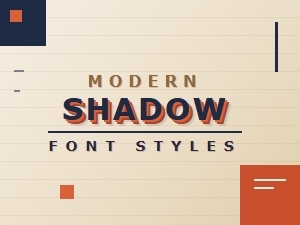 Retro Shadows Meet Modern Font Styles
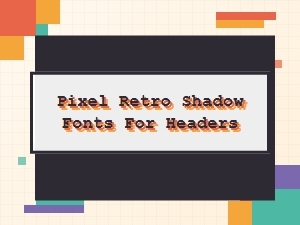 Pixel Retro Shadow Fonts for Your Headers
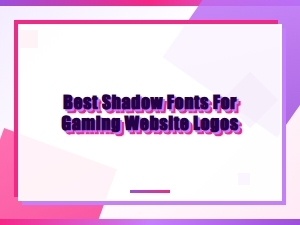 Unleash Pixel Power with Retro Shadow Fonts
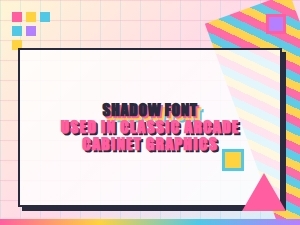 Elegant Arcade Shadows in Classic Pixel Fonts
 Serene Scripts for Elegant Logo Watermarks
 The Subtle Art of Luxury Packaging Fonts